URL Slug Creator
Convert any text into a clean, SEO-friendly URL slug with advanced customization options
Quick Presets
Input Text
Generated Slug
Length
0/50
Words
0
SEO Score
0/100
Status
✓
Configuration
Recommended: 30-60 for SEO
What is the URL Slug Creator?
Think of a URL slug as the digital "street address" for your specific web page. The URL Slug Creator is an advanced tool designed to transform messy, human-readable titles into clean, SEO-friendly, and machine-readable URLs.
Whether you are managing a blog, an e-commerce platform, or a custom CMS, this tool acts as a "Swiss army knife" for URL generation. It handles the heavy lifting of stripping special characters, managing separators, and even transliterating foreign alphabets so your links remain accessible and professional across the entire web.
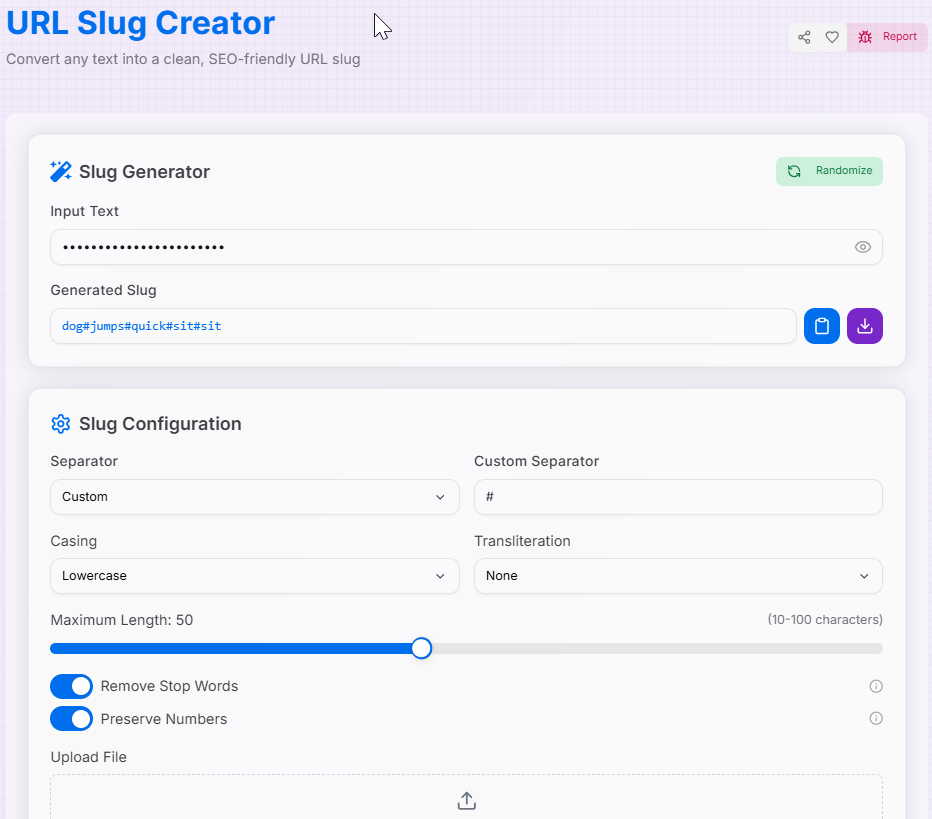
How to Use the URL Slug Creator?
- 1Input Your Text:
Enter or paste your title into the input field. You can also upload a file to process text content directly.
- 2Customize Parameters:Separators & CasingStop Word RemovalTransliteration (Cyrillic/Greek)Max Length & Replacements
- 3Test & Preview:
The slug generates automatically. Use the Randomize button to test settings or the Password Toggle () to protect sensitive inputs.
- 4Export Result:
Click Copy () for immediate use or Download to save the slug as a text file.
Key Features
Best Practices and Tips
SEO Strategy
Always use hyphens as separators. Search engines interpret hyphens as spaces, whereas underscores are seen as single characters.
Conciseness
Keep slugs under 60 characters. Remove unnecessary stop words to make the URL easier for users to remember and share.
Consistency
Stick to lowercase for all URLs. This prevents potential duplicate content issues and 404 errors on case-sensitive servers.
Common Pitfalls and How to Avoid Them
Be careful when removing stop words. Ensure the slug still reflects the content's core topic to maintain context.
Slugs must be unique. If generating for a CMS, always implement a check to append a number to duplicates.
Keep custom replacements minimal. Replacing too many characters can lead to confusing and unreadable URLs.
For international sites, always utilize transliteration to ensure non-Latin scripts remain URL-safe.
Security Considerations
Input Sanitization
Always sanitize inputs when displaying generated slugs to prevent Cross-Site Scripting (XSS) attacks.
File Validation
When using the file upload feature, ensure your application validates file types and sizes to prevent security risks.
Privacy Toggle
Use the password visibility toggle when processing sensitive keywords that shouldn't be seen by onlookers.
The URL Slug Creator is your go-to partner for creating effective, clean, and search-optimized links. By leveraging these powerful features and following industry best practices, you can ensure your website's navigation remains professional and accessible to all. Start crafting your perfect URLs today!