Password Generator
Generate secure and customizable passwords quickly and effortlessly
Password Settings
What is the Advanced Password Generator?
The Advanced Password Generator is a highly secure, client-side utility engineered to safeguard your digital identity. In an era of increasing cybersecurity threats, using weak or recycled passwords is a major vulnerability. This tool solves that by creating mathematically strong, unpredictable combinations of letters, numbers, and special characters.
Security and privacy are at the absolute core of this application. This tool operates entirely on the client side. This means we do not store, transmit, or process any of your generated passwords on external servers. All cryptographic generation happens securely inside your local browser, keeping your sensitive data private and completely protected.
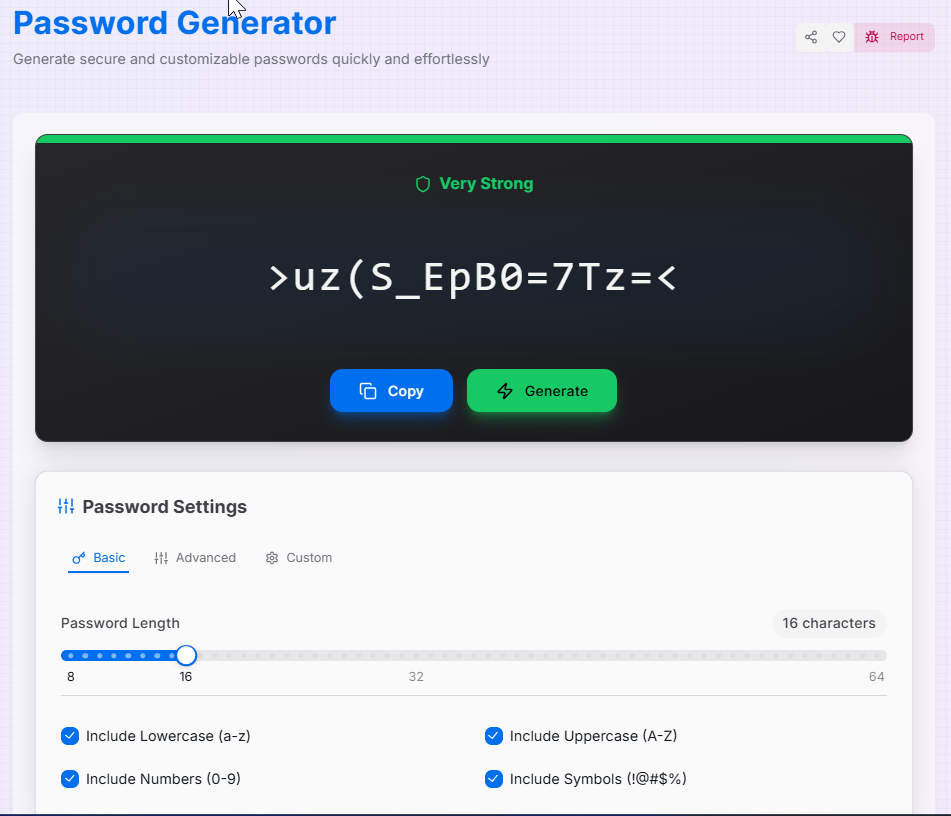
How to Use the Advanced Password Generator
- 1Set Length and Characters:
Under the Basic tab, use the slider to set your password length (from 8 to 64). In the Original tab, check the boxes to include lowercase, uppercase, numbers, or symbols.
- 2Apply Advanced Rules:
Head to the Advanced tab to force the inclusion of every checked type, ensure it begins with a letter, or prevent repeating consecutive characters. Use the Security tab to remove visually ambiguous characters like `1` and `l`.
- 3Select Quantity & Custom Sets:
If you need full control, use the Custom tab to define a specific set of allowed or forbidden characters. Choose how many passwords you want to generate at once (up to 10).
- 4Generate and Copy:
Click the Generate button. Review the password strength indicator, and click the Copy icon to grab your new credential securely.
Features That Make Us Stand Out
Pro Tips for Digital Security
Length Over Complexity
Mathematically, extending length increases brute-force time exponentially more than simply adding complex symbols. Aim for at least 16 characters.
Zero Reuse
Always generate a unique password for every single account. If one service is breached, your other accounts remain entirely safe.
Use Managers
Since secure passwords are impossible to memorize, always route your generated results directly into a local or cloud password manager.
Real-World Applications
Personal Privacy
Generating highly secure credentials for banking, primary emails, and government portal accounts.
API Keys
Creating highly secure, long strings of random letters and symbols to act as bearer tokens for developers.
Corporate Setup
Using bulk generation to set up strong temporary master passwords for new employees in an enterprise system.
Elevate your digital security standards today. With the Advanced Password Generator, professional-grade cryptography and secure asset production are simplified into a seamless client-side interface. Start shielding your presence and generate your secure keys today!