React Native Shadow Generator
Create perfect shadows for iOS & Android with advanced customization
Quick Presets
Shadow Preview
Generated Code
import { Platform, StyleSheet } from 'react-native';

const styles = StyleSheet.create({
  shadowBox: {
    backgroundColor: "#FFFFFF",
    ...Platform.select({
      ios: {
        shadowColor: "#000000",
        shadowOffset: {
          width: 0,
          height: 2
        },
        shadowOpacity: 0.25,
        shadowRadius: 3.84
      },
      android: {
        elevation: 5,
        shadowColor: "#000000",
        overflow: "hidden"
      }
    })
  }
});Platform
ios
Blur Radius
3.8
Configuration
What is the React Native Shadow Generator?
Think of the React Native Shadow Generator as your cross-platform bridge for UI depth. In the React Native ecosystem, shadows are handled differently across iOS and Android. This tool provides a unified, visual interface to craft consistent component elevation and shadows without the trial-and-error of manual coding.
Whether you are building a soft "Neumorphic" interface for iOS or following Material Design’s "Elevation" system for Android, this generator handles the platform-specific syntax for you. It allows you to visualize your design on various shapes—including hearts and circles—ensuring your mobile app feels tactile and premium on every device.
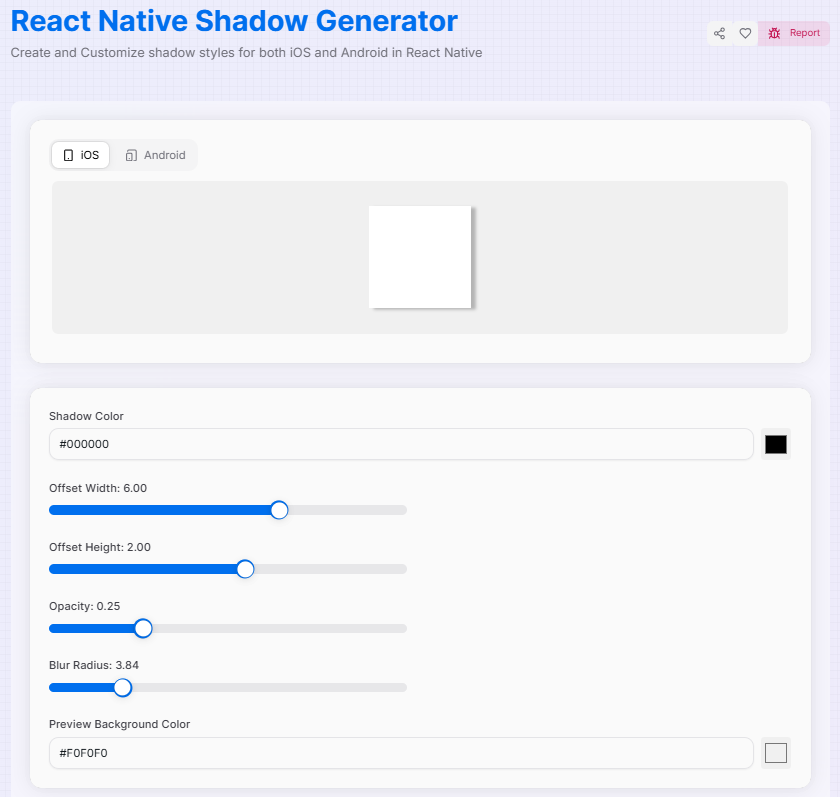
How to Use the React Native Shadow Generator?
- 1Choose Your Platform:
Select between iOS or Android. The tool will automatically switch between shadow properties like
shadowRadiusandelevation. - 2Style & Shape:Custom Context:Change the preview shape to a Square, Circle, or Heart to see how the shadow wraps around different component geometries.
- 3Save & Organize:
Use Quick Presets for instant results, or name and Save to History () your favorite custom shades for future sessions.
- 4Deploy:
Once satisfied, Copy Code () and paste it directly into your
StyleSheet.createobject in your React Native project.
Key Features for Mobile Design
Pro Tips
iOS vs Android
iOS allows for colored shadows and fine blur control. Android primarily uses elevation which is system-locked to specific light sources.
Hierarchy
Use higher elevation/shadow values for components that sit on top, like modals or fab buttons, to guide user focus.
Reset & Refine
Stuck on a design? Use the Reset () button to return to the baseline and start fresh with a new platform.
Ready to elevate your mobile UI? Start experimenting with cross-platform elevation, save your best work to history, and bring a professional sense of depth to your next React Native project today!
Related Tools
Advance JSON Tree Viewer
A powerful tool to view, edit, and format JSON data with customizable options.
Base64 Encoder/Decoder
Encode and decode data using Base64 encoding with advanced features.
Code to Image Converter
Convert your code snippets into beautiful, shareable images with customizable themes, backgrounds, and styling.