CSS Glassmorphism Generator
Create stunning glass-like UI elements with advanced customization options

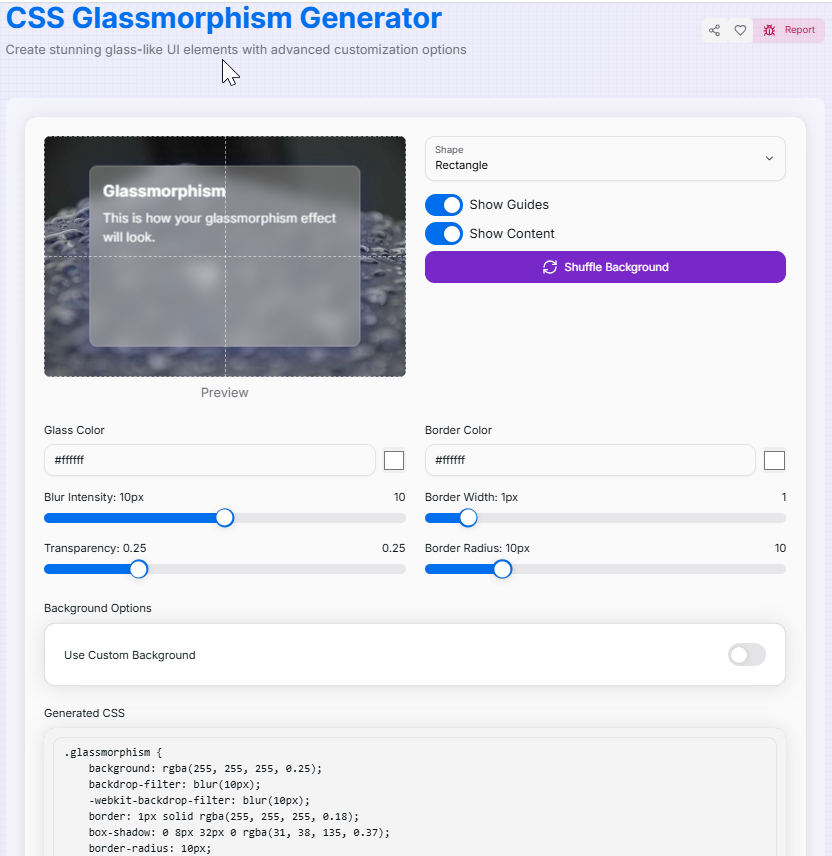
Glassmorphism
This is how your glassmorphism effect will look.
What is the CSS Glassmorphism Generator?
Imagine looking through a frosted window on a winter morning—that sleek, semi-transparent, and blurry aesthetic is what we call "Glassmorphism." Our CSS Glassmorphism Generator is a dedicated design laboratory that allows you to recreate this ultra-modern UI style with surgical precision.
Glassmorphism relies heavily on a "layered" approach, using background blurs and subtle borders to create a sense of depth and hierarchy. This tool bridges the gap between complex CSS properties like backdrop-filter and your creative vision, providing a real-time playground to experiment with transparency, frostiness, and shadows without writing a single line of code manually.
How to Use the Glassmorphism Generator?
- 1Define Your Shape:
Choose from Rectangle, Circle, or Custom shapes. For custom designs, you can even paste your own
clip-pathcoordinates. - 2Adjust the "Glass" Quality:Blur & Transparency:Use sliders to control the Blur Intensity (frostiness) and Transparency to let the background peak through.
- 3Test Your Context:
Glassmorphism only works with a background! Use Shuffle Background to see the effect against different images, or upload your own specific project background.
- 4Copy & Deploy:
Once you've perfected the look, copy the generated CSS code. It includes the necessary
backdrop-filterandrgbacolors for instant implementation.
Premium Glass Features
Pro Tips for Better Glass UI
Use Borders
Always add a thin, 1px white border with low opacity. This mimics the "edge" of real glass and makes the element pop.
Accessibility
Ensure your text color has enough contrast against the background. If it's hard to read, increase the blur or decrease transparency.
Performance
backdrop-filter can be resource-intensive. Use it for small UI components rather than large, moving full-page elements.
Ready to bring transparency and depth to your web design? Start experimenting with colors and blurs, and transform your flat interface into a stunning, modern masterpiece with our CSS Glassmorphism Generator!
More CSS Tools
CSS Border Radius Generator
Create visually appealing and modern UI elements by customizing the corner radii and border properties of boxes.
CSS Gradient Generator
Create beautiful, customizable gradients using CSS with advanced options and features.
CSS Text Glitch Effect Generator
Create eye-catching, customizable glitchy text effects using CSS with advanced options and features.
CSS Triangle Generator
Create customizable CSS triangles with advanced options and features.
CSS Background Pattern Generator
Create beautiful CSS background patterns with our interactive generator.
CSS Box Shadow Generator
Create and customize complex CSS box shadows with precision and ease.