CSS Box Shadow Generator
Create and customize complex CSS box shadows with precision and ease
Generated CSS
What is the CSS Box Shadow Generator?
Think of the CSS Box Shadow Generator as your digital lighting technician. In modern web design, shadows are the secret ingredient that creates depth, elevation, and a sense of hierarchy. This tool allows you to move beyond basic, flat designs by layering multiple shadows to create realistic, high-quality "Soft UI" or "Neumorphic" effects.
Whether you are crafting a subtle "lift" for a button or a deep, immersive glow for a modal window, our generator handles the complex syntax of the box-shadow property for you. It provides total control over every axis, blur radius, and spread, ensuring your UI elements look tactile and professional across all modern browsers.
How to Use the Box Shadow Generator?
- 1Manage Your Layers:
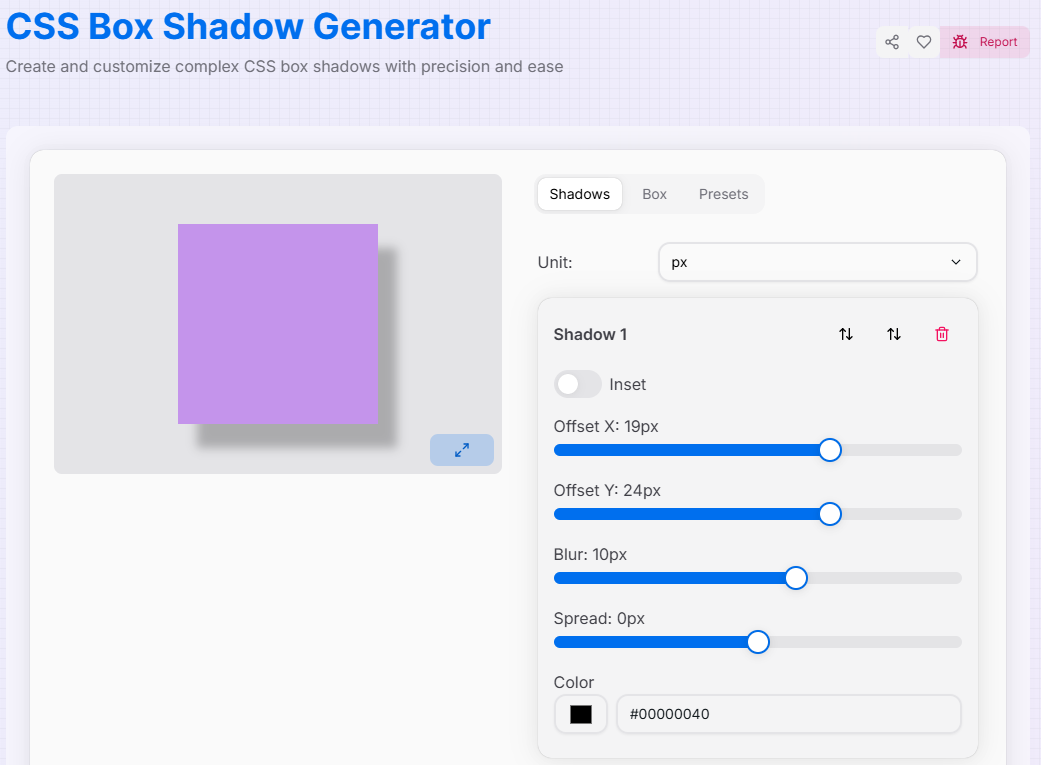
Use the Shadows tab to add () or remove shadow layers. You can reorder them using the up and down arrows () to change which shadow sits on top.
- 2Refine the Light:Offset & Spread:Adjust Horizontal/Vertical offsets and Blur/Spread values. Toggle the "Inset" switch to create an inner-box shadow effect.
- 3Customize the Container:
Switch to the Box tab to modify the preview element's color, size, and Border Radius to see how shadows interact with rounded corners.
- 4Export:
Save your creations as Presets () for future use, then copy the generated CSS or download the code as a file.
Professional Shadow Features
Pro Tips for Realistic Shadows
Layering
Real shadows have layers. Use one sharp, dark shadow for the "base" and one large, blurry, light shadow for the "ambient" glow.
Softness
Avoid pure black (#000) shadows. Instead, use a very dark version of your background color with low opacity for a more natural look.
Inset Depth
Combine a standard shadow with an "Inset" shadow to create "pressed" or "hollow" effects, perfect for form inputs and buttons.
Ready to elevate your UI? Start experimenting with layers and light, and create sophisticated box shadows that bring a new level of professionalism to your web designs today!
More CSS Tools
CSS Flexbox Generator
Create, visualize, and customize flexible layouts using CSS Flexbox with precision and ease.
CSS Cubic Bezier Generator
Create smooth, custom easing functions for your CSS animations with precision and ease.
CSS Background Pattern Generator
Create beautiful CSS background patterns with our interactive generator.
CSS Clip Path Generator
Create custom CSS shapes instantly with our free visual Clip Path Generator.
CSS Gradient Generator
Create beautiful, customizable gradients using CSS with advanced options and features.
CSS Loader Generator
Create customizable CSS loaders for your web projects.