CSS Gradient Generator
Create beautiful, customizable gradients using CSS with advanced options and features
Angle: 43°
Color Stops
What is the CSS Gradient Generator?
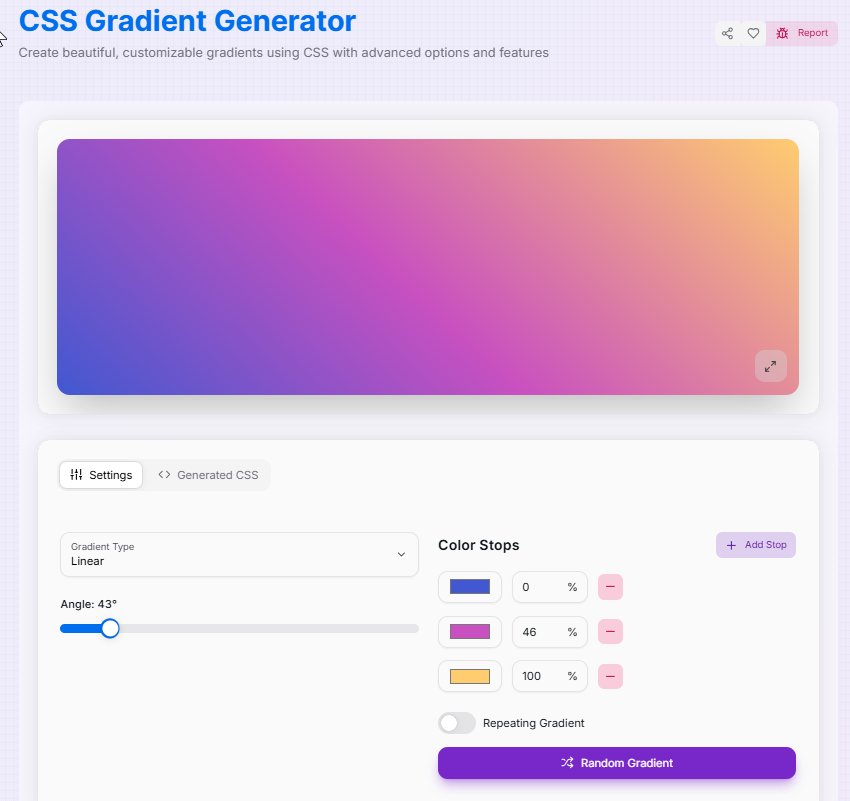
Think of the CSS Gradient Generator as a digital mixing palette for your website's atmosphere. Gradients are no longer just simple color fades; they are a sophisticated way to add depth, light, and energy to buttons, backgrounds, and headers without the overhead of heavy image files.
This tool bridges the gap between complex mathematical CSS declarations and your creative vision. Whether you need a subtle Linear transition, a glowing Radial sunburst, or a modern Conic sweep, our generator provides an interactive playground to experiment with up to five color stops and real-time positioning.
How to Use the CSS Gradient Generator?
- 1Select Your Gradient Type:
Choose between Linear (straight line), Radial (circular/elliptical), or Conic (pie-chart style) gradients to set your base structure.
- 2Refine the Geometry:Angles & Positioning:Use the angle slider for linear flows or the X/Y sliders to pin the center point for radial and conic effects.
- 3Blend Your Colors:
Add up to 5 color stops. Adjust their individual Position and Transparency. Stuck? Hit Random Gradient () for instant inspiration!
- 4Export:
Toggle Repeating Gradient for patterns, inspect your work in Fullscreen (), and then copy or download the production-ready CSS code.
Key Features
linear-gradient, radial-gradient, and the trendy conic-gradient.Pro Tips
Repeating Patterns
Use the Repeating toggle with color stops placed close together (e.g., 0% and 10%) to create stripe or ring effects.
Accessibility
Always test your text color against the darkest and lightest parts of the gradient to ensure WCAG compliance.
Layering
Gradients work best as backgrounds. Try applying a subtle linear gradient to a button to give it a modern 3D "pop."
Ready to paint with code? Start experimenting with colors and angles, and see how a custom gradient can transform your flat design into a stunning, multi-dimensional experience!
More CSS Tools
CSS Text Glitch Effect Generator
Create eye-catching, customizable glitchy text effects using CSS with advanced options and features.
CSS Triangle Generator
Create customizable CSS triangles with advanced options and features.
CSS Background Pattern Generator
Create beautiful CSS background patterns with our interactive generator.
CSS Loader Generator
Create customizable CSS loaders for your web projects.
CSS Box Shadow Generator
Create and customize complex CSS box shadows with precision and ease.
CSS Clip Path Generator
Create custom CSS shapes instantly with our free visual Clip Path Generator.