JSON Validator and Formatter
Validate, format, and manipulate JSON with ease
0/100000 characters
What is the JSON Validator and Formatter?
Think of the JSON Validator and Formatter as a digital inspector and architect for your data. JSON (JavaScript Object Notation) is the universal language of modern APIs, but a single missing comma or curly brace can cause an entire application to crash.
Whether you are a developer debugging API responses, a data analyst cleaning up messy exports, or an engineer preparing configuration files, this tool ensures your data is correct, well-structured, and easy to read. It bridges the gap between raw machine data and human-friendly documentation, catching syntax errors before they become production problems.
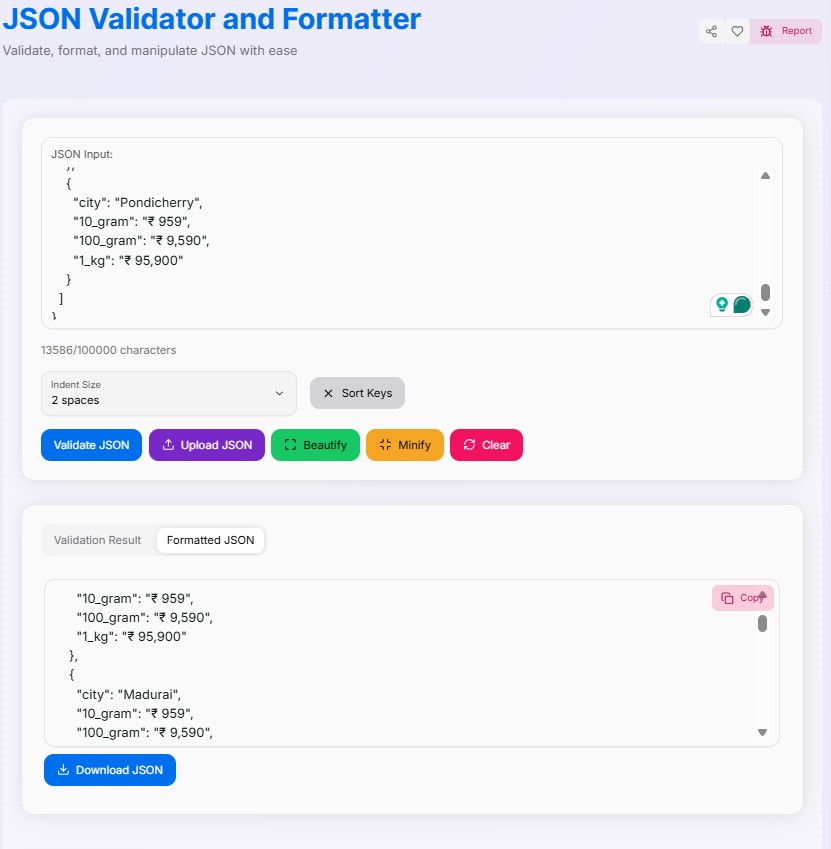
How to Use the JSON Validator and Formatter?
- 1Input Your JSON:
Paste your raw JSON string into the input area or use the file upload feature to process local
.jsondocuments. - 2Validate & Inspect:Error Detection:Click 'Validate JSON'. The tool will provide detailed feedback if any syntax errors are detected.
- 3Choose Your Format:
Use 'Beautify' to expand the code with custom indent sizes (2, 4, or 8 spaces), or 'Minify' to strip all whitespace for production use. Toggle 'Sort Keys' to organize object properties alphabetically.
- 4Export & Integrate:
Check the 'Formatted JSON' tab to see the result. Copy () it to your clipboard or Download the result as a file.
Key Features for Data Management
Pro Tips
Bandwidth
Always Minify JSON used in production APIs. Smaller payloads lead to faster mobile load times and lower egress costs.
Clean Configs
Use Sort Keys when working with configuration files. It makes it significantly easier to find settings in long documents.
Early Catch
Run raw text through the Validator before writing database seed scripts to prevent failed migrations.
The JSON Validator and Formatter is an essential tool for anyone working with modern data structures. By catching errors early and ensuring your data is always in its optimal format, you can build more robust and efficient applications. Master your data integrity today!
More Coding Tools
Advance JSON Tree Viewer
A powerful tool to view, edit, and format JSON data with customizable options.
CSS Formatter
Clean up and standardize your CSS code with advanced formatting options.
HTML Formatter
Clean up, standardize, and optimize your HTML code with advanced formatting options.
JavaScript Formatter
Effortlessly beautify, clean, and standardize JavaScript and TypeScript code online with this professional Prettier-powered formatter and multi-parser tool.
JavaScript Minifier
Optimize your JS code for production or format it for readability using industry-standard Terser engine.
JWT Encoder/Decoder
Securely encode and decode JSON Web Tokens (JWT) for authentication and data exchange.