Color Mixer
Mix colors, generate shades, and explore different color formats with advanced features
What is the Color Mixer?
Think of the Color Mixer as your personal digital laboratory for color exploration. It is a powerful instrument designed for designers, developers, and artists to create custom color blends, generate seamless palettes, and bridge the gap between different color formats with surgical precision.
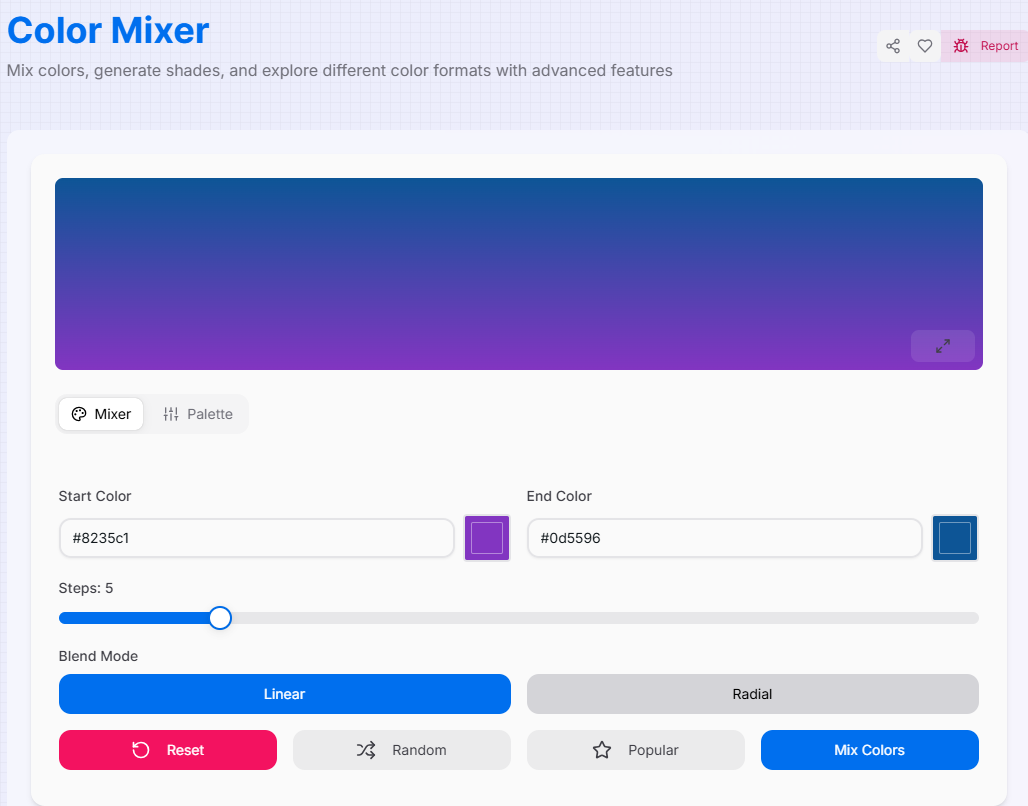
Whether you are building a complex UI design system or searching for the perfect gradient for a brand identity, the Color Mixer provides a high-fidelity interface. With support for linear and radial blending, real-time updates, and a fullscreen preview mode, it transforms simple color selection into a comprehensive creative process.
How to Use the Color Mixer?
- 1Select Base Colors:
Choose your Start and End colors using the intuitive color pickers or by entering specific Hex codes directly.
- 2Configure Blend Settings:
Adjust the number of steps to control the granularity of your blend and choose between Linear or Radial blending modes for different visual effects.
- 3Generate & Refine:
Click "Mix Colors" to see your palette. Switch to the Palette tab to view colors in HEX, RGB, HSL, or CMYK formats. Use the "Random Color" button for instant inspiration.
- 4Preview & Export:
Use the Fullscreen mode to visualize your gradient at scale. Click any swatch to copy its value instantly to your clipboard.
Key Features for Creators
Pro Tips & Design Advice
Step Mastery
Use 3-5 steps for a functional UI palette (primary, secondary, accent) or 10+ steps for smooth CSS background transitions.
Radial Dynamics
Switch to Radial mode when designing circular UI components like buttons, dials, or profile badges for a more natural light source feel.
CSS Context
Use the Fullscreen preview to check if text overlays will be legible against your mixed colors before implementing them in your code.
Real-World Applications
UI Development
Generating transitional shades between brand colors to create consistent hover and active states for interactive elements.
Brand Consistency
Ensuring color relationships remain identical when converting a print logo (CMYK) to its digital gradient equivalent.
Data Visualization
Creating distinct color ramps for charts and graphs that help users distinguish between different data intensities.
The Color Mixer is more than just a tool—it is a playground for exploration. Whether you are a professional developer building a complex design system or a creative enthusiast discovering color theory, our platform provides the power to bring your visual ideas to life. Start mixing and discover your perfect palette today!
More Color Tools
Color Shades Generator
Generate and explore harmonious color shades for your projects with advanced features.
Color Converter
Convert colors between HEX, RGB, HSL, HSV, and RGBA formats with advanced features.
Color Name Generator
Explore color theory and generate harmonious palettes with our advanced color wheel tool.
Color Wheel
Visualize colors and find perfect combinations using the color wheel.
Image Color Extractor
Effortlessly extract dominant colors from images and create stunning color palettes for your projects.
Image Color Picker
Extract HEX, RGB, and HSL color codes from any image instantly. Upload and pick precise pixel colors online for web design and UI development.