CMYK to RGB Converter
Convert CMYK Color Codes to RGB with Real-time Preview
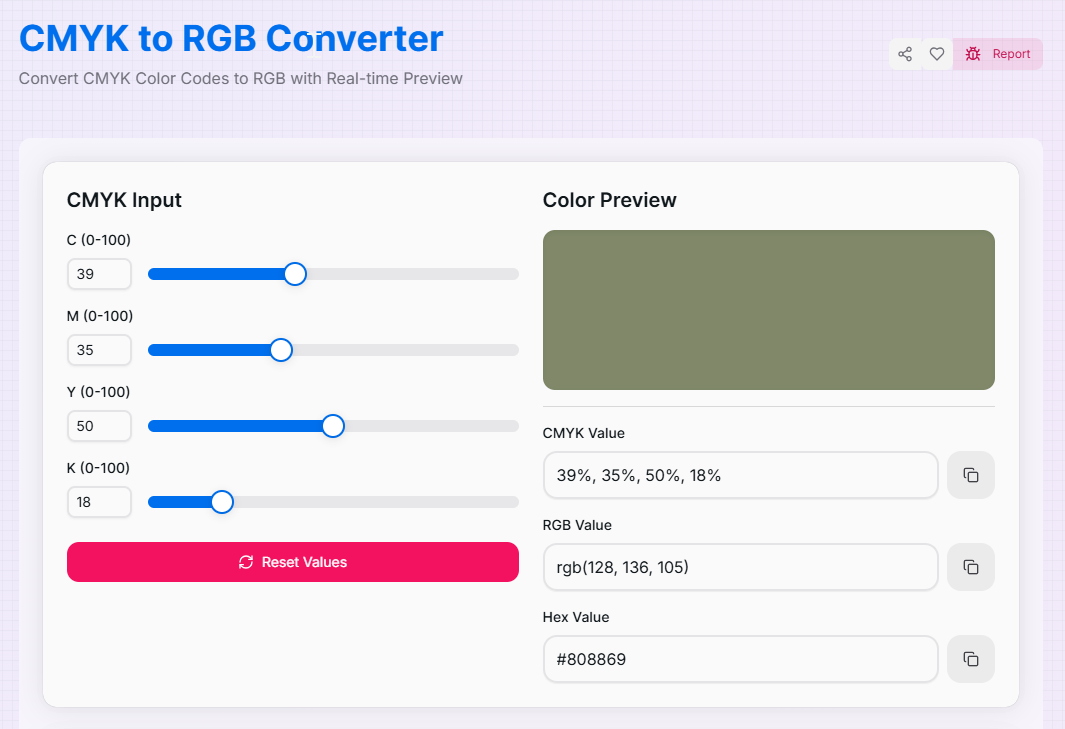
CMYK Input
Color Preview
What is the CMYK to RGB Converter?
The CMYK to RGB Converter is a precision bridge between the world of physical print and digital displays. CMYK (Cyan, Magenta, Yellow, and Key/Black) is a subtractive color model used for ink and paper, while RGB is an additive model used for screens. Translating between them accurately is critical for maintaining brand consistency across all mediums.
Whether you are an illustrator bringing a print sketch into a digital workspace or a designer adapting a brochure for social media, this tool ensures your colors remain vibrant and faithful. It calculates the complex mathematical shift from ink-based percentages to pixel-based light values, providing instant HEX and RGB results for your digital assets.
How to Use the CMYK to RGB Converter?
- 1Set CMYK Percentages:
Adjust the sliders for Cyan, Magenta, Yellow, and Black (0-100%). These represent the ink density levels used in professional printing.
- 2Instant Digital Mapping:
The tool instantly maps these subtractive colors to the RGB spectrum. Watch the live preview update to see how the ink color will appear as digital light.
- 3View HEX & RGB:
The converted RGB values and HEX codes are displayed in the results section. This allows you to immediately use the color in CSS, Photoshop, or Canva.
- 4Copy & Reset:
Click the Copy buttons to save the values to your clipboard. Use the Reset button () to clear the palette and start a new conversion.
Key Features
Pro Tips for Color Consistency
Gamut Warnings
RGB can display more colors than CMYK. When converting, vibrant digital colors may look "muted" in print, but converting CMYK to RGB usually results in a perfect match.
Rich Black
In print, 100% K is "Flat Black." To get a "Rich Black" on screen, use the converter to see how adding C, M, and Y affects the digital HEX code.
Screen Sync
Always check your converted colors on a calibrated monitor. RGB light can vary based on brightness settings, while CMYK is a fixed ink value.
Real-World Applications
Brand Identity
Taking a logo designed for business cards (CMYK) and finding the exact HEX code for a company website.
Digital Marketing
Adapting magazine advertisements into digital banners while ensuring the color palette remains identical.
Asset Archiving
Documenting print-based brand guidelines into a digital CSS framework for internal development teams.
Stop guessing how your print work will translate to the digital screen. Whether you are a professional designer working on cross-media projects or an artist exploring color theory, our CMYK to RGB Converter provides the precision you need. Experience the power of accurate color translation and enhance your design workflow today!
More Color Tools
RGB to CMYK Converter
Convert RGB Color Codes to CMYK with Real-time Preview.
HSL to RGB Converter
Convert HSL Color Codes to RGB with Real-time Preview.
HSV to RGB Converter
Convert HSV Color Codes to RGB with Real-time Preview.
RGB to HSL Converter
Convert RGB Color Codes to HSL with Real-time Preview.
RGB to HSV Converter
Convert RGB Color Codes to HSV with Real-time Preview.
HSL to HEX Converter
Convert HSL Color Codes to Hex with Real-time Preview.