RGB to HSL Converter
Convert RGB Color Codes to HSL with Real-time Preview
RGB Input
Color Preview
What is the RGB to HSL Converter?
The RGB to HSL Converter is a specialized utility designed to translate technical color data into human-friendly terms. While screens and hardware operate using **RGB** (Red, Green, Blue), designers and web developers often prefer **HSL** (Hue, Saturation, Lightness) because it aligns with how we naturally perceive color changes.
This advanced tool empowers creators to take static RGB values and convert them into the flexible HSL model. This is particularly valuable for CSS styling, where HSL allows you to programmatically adjust brightness and vibrancy without changing the underlying color shade. Whether you are building a design system or fine-tuning a UI component, this converter provides the precision you need.
How to Use the RGB to HSL Converter?
- 1Adjust RGB Channels:
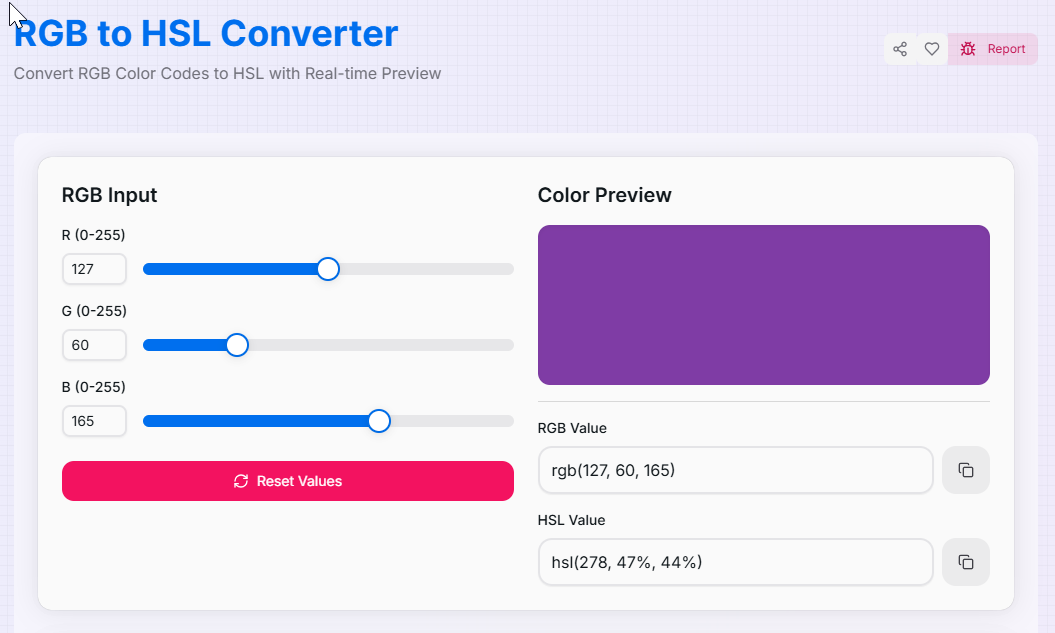
Use the Red, Green, and Blue sliders (0-255) to mix your desired color. You can also input specific numeric values for exact matching of existing assets.
- 2Real-Time Conversion:
As you modify the RGB mix, the tool instantly calculates the Hue (0-359°), Saturation (0-100%), and Lightness (0-100%) equivalents.
- 3Review Results:
View the Color Preview to see the resulting swatch. This visual feedback ensures that your RGB mix translates into a cohesive HSL profile.
- 4Copy and Export:
Click the Copy icon to grab either the RGB or HSL strings for your code. Use the Reset button () to start a new exploration.
Key Features for Developers
Pro Tips for Color Mastery
Lightness Logic
Use the HSL result to create Dark Mode versions of your colors. Keeping H and S constant while reducing L (Lightness) ensures color consistency.
Vibrancy Check
If your RGB color looks "flat," check the Saturation percentage in HSL. Colors with saturation below 20% often appear as shades of gray.
Harmony
To find complementary colors, note your Hue (H) value and add 180 degrees. This is much easier to do in HSL than calculating in RGB.
Real-World Applications
Web Design
Converting hardware-specific RGB values into HSL for more flexible CSS variable manipulation and dynamic themes.
UI/UX Work
Extracting HSL data to verify that color contrast meets accessibility standards without altering the core brand hue.
Style Guides
Ensuring brand consistency by providing developers with HSL equivalents for all primary RGB assets in a style guide.
Stop manually calculating complex color models. Whether you are a professional web developer working on sophisticated apps or a hobbyist exploring color theory, our RGB to HSL Converter provides the precision you need. Experience a more intuitive way to manage your digital palettes today!
More Color Tools
HSL to RGB Converter
Convert HSL Color Codes to RGB with Real-time Preview.
CMYK to RGB Converter
Convert CMYK Color Codes to RGB with Real-time Preview.
HSL to HEX Converter
Convert HSL Color Codes to Hex with Real-time Preview.
HSV to RGB Converter
Convert HSV Color Codes to RGB with Real-time Preview.
RGB to CMYK Converter
Convert RGB Color Codes to CMYK with Real-time Preview.
RGB to HSV Converter
Convert RGB Color Codes to HSV with Real-time Preview.