Image Resizer
Resize images to specific dimensions effortlessly. Choose from PNG, JPEG, or WebP formats and preserve quality for web use and social media.
Upload an Image
About Image Resizer
The Image Resizer is a powerful tool designed to help you resize your images with quick and easy accuracy and flexibility. Whether you are preparing images for web usage, social media, or any other purpose requiring specific dimensions, this tool provides you with many features to get accurate results.
With support for multiple image formats, adjustable quality settings, social media presets, and aspect ratio preservation, our image resizer meets both casual users and professionals who demand control over their image output.
How to Use Enhanced Image Resizer?
- 1Upload your image:
Click the "Select an image file" button or drag and drop an image onto the designated area.
- 2Preview your image:
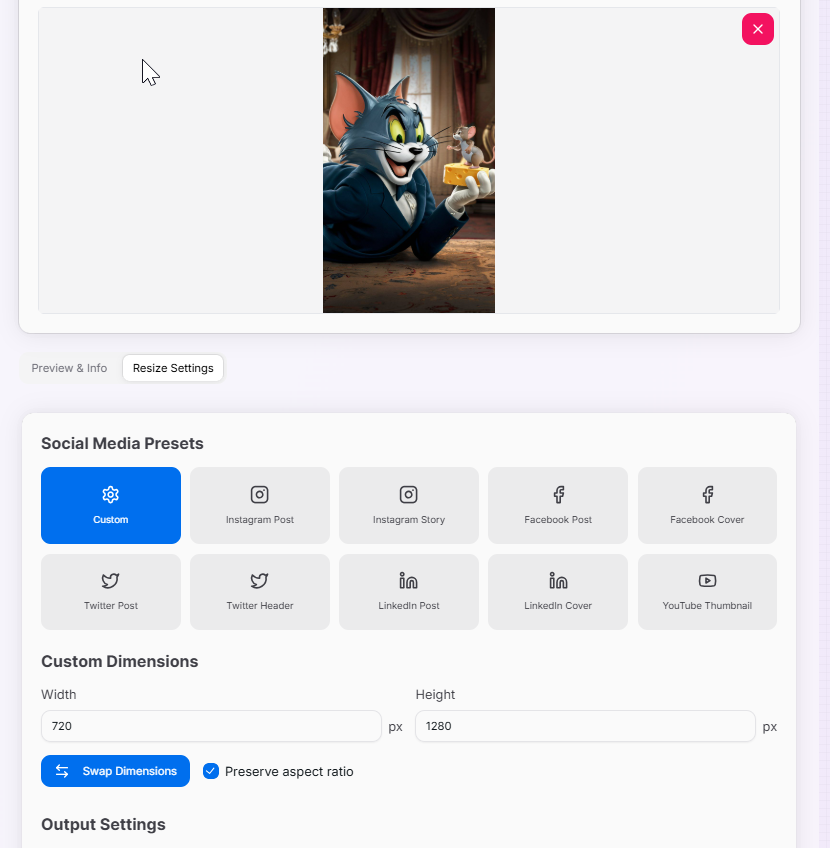
Once uploaded, you'll see a preview of the original image in the "Preview & Info" tab.
- 3Configure resize settings:Social Media Presets:Choose from platform-specific presets for Instagram, Facebook, Twitter, LinkedIn, and YouTube.Custom Dimensions:Use the width and height inputs to set your desired dimensions manually.Aspect Ratio:Toggle "Preserve aspect ratio" to maintain image proportions.
- 4Choose output format:Format Selection:Select your preferred output format (PNG, JPEG, or WebP).Quality Settings:Adjust quality as needed for optimal file size and image clarity.
- 5Resize and download:Process Image:Click "Resize Image" to generate your resized image.Save Result:The app will switch to the "Result" tab - click "Download Image" to save.Reset if Needed:Use "Reset Settings" to revert all settings and start over.
Key Features of Image Resizer
Tips and Best Practices
- Preserve Aspect Ratio: Use the "Preserve aspect ratio" option to avoid image distortion when resizing for most applications.
- Choose the Right Format: PNG for images with text or sharp edges, JPEG for photographs, WebP for optimal web compression.
- Balance Quality and Size: Experiment with the quality slider to find the optimal balance between image quality and file size.
- Enlargement Considerations: Be aware that enlarging images may result in some quality loss or pixelation depending on the original resolution.
- Research Platform Requirements: For social media platforms, research the recommended image sizes for optimal display and engagement.
- Use Dimension Swapping: Utilize the "Swap Dimensions" button to quickly create both landscape and portrait versions of your image.
- Always Preview First: Review your resized image in the preview before downloading to ensure it meets your requirements.
- Consider Intended Use: Think about the final application of your image when choosing between quality and file size optimization.
Image resizing is a versatile tool that handles a wide range of image sizing needs. Whether you're a professional designer, a social media manager, or just someone who needs to resize images occasionally, this tool provides the flexibility and accuracy you need to achieve perfect results every time. Start resizing your images with confidence and ease!
More Image Tools
Base64 to Image Converter
Effortlessly convert Base64 encoded strings back to images for easy viewing and downloading.
Image Average Color Finder
Analyze images to find their average and dominant colors effortlessly. Perfect for designers, artists, and anyone looking to create cohesive color palettes for their projects.
Image Color Extractor Tool
Effortlessly extract dominant colors from images and create stunning color palettes for your projects.
Image Cropper
Crop, rotate, and adjust your images with precision for web and mobile.
Image Merger
Merge up to 5 images into a single, high-quality composition. Easily align, layer, and download your fused images in seconds.
Image to Base64 Converter
Effortlessly convert your images to Base64 encoded strings for easy embedding in HTML, CSS, or JavaScript.