SVG to PNG Converter
Easily convert your SVG files to high-quality PNG images with our fast and reliable SVG to PNG Converter.
What is the SVG to PNG Converter?
The SVG to PNG converter is a powerful and user -friendly device designed to convert scalable vector graphics (SVG) into high quality portable network graphics (PNG) images. It is an essential utility for designers, developers and digital material creators, which need to convert their scalable vector designs into registration format for various applications. With our easy-to-use interface, you can quickly convert your SVG files while maintaining image quality and customizing output settings.
Whether you are preparing graphics for web use, making app icons, or requiring the bitmap versions of your vector picture, streamlines our SVG to PNG converter process, saves you time and ensures frequent consequences in various platforms and equipment.
How to Use the SVG to PNG Converter?
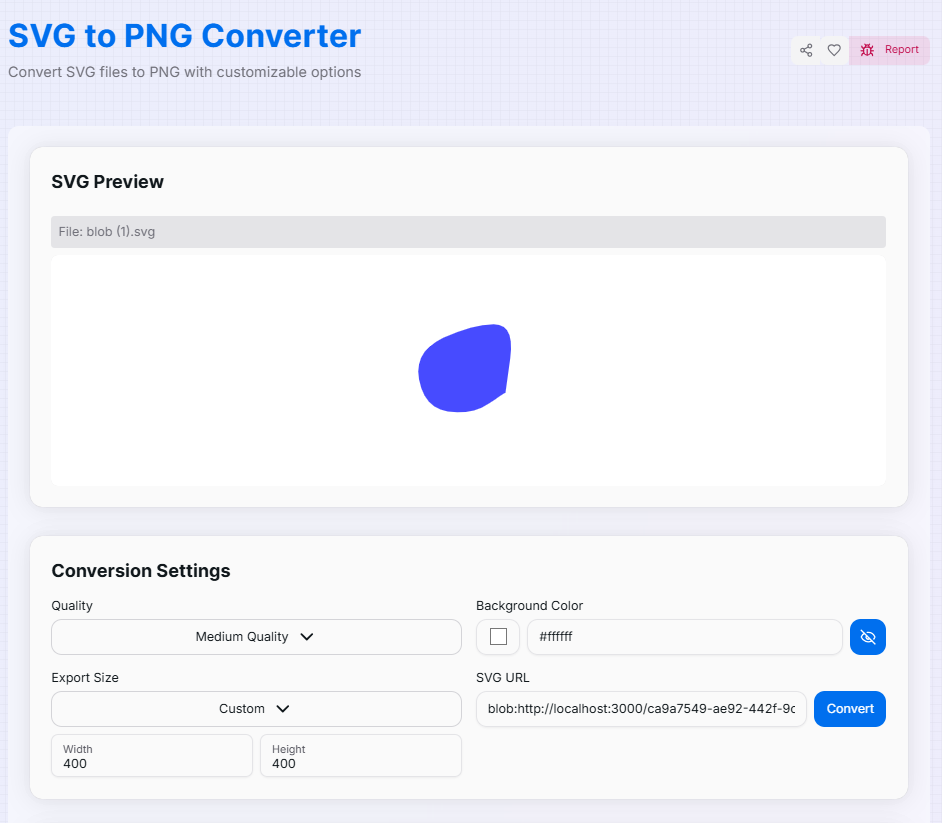
Converting your SVG files to PNG is a straightforward process with our tool. Here's a step-by-step guide:
- 1Upload SVG:
Upload your SVG file using the file input or enter a valid SVG URL.
- 2Adjust Settings:
Preview your SVG and adjust the conversion settings as needed.
- 3Convert:
Click the "Convert" button to generate the PNG image.
- 4Preview:
Preview the converted PNG image to ensure it meets your requirements.
- 5Download or Copy:
Download the PNG file or copy the original SVG code if needed.
- 6Reset:
Use the "Reset" button to start a new conversion with different settings or a new file.
Conversion Settings
Our SVG to PNG Converter offers several customization options to ensure your output matches your needs:
Key Features
Tips for Optimal Conversion
- Use high-quality SVG files for the best PNG output.
- Adjust the scale to find the right balance between file size and image quality.
- Consider using transparent backgrounds for logos or icons that need to be placed on various colored backgrounds.
- Use preset sizes for quick conversions tailored to specific platforms.
- For precise control, use custom dimensions to fit your exact requirements.
- Always preview your PNG before downloading to ensure it meets your expectations.
Are you ready to convert your SVG files into high quality PNG images? Our SVG to PNG converter offers an ideal A mix of simplicity and powerful features to meet all your conversion needs. Whether you are a web Developer ensures cross-browsers compatibility, a graphic designer prepares property for various mediums, Or a digital market is making a view for many platforms, our tool is here to streamline you Workflow. Now start changing and experience the ease of professional-grade SVG for PNG conversion!
More Image Tools
PNG to SVG Converter
Convert PNG images to SVG format.
PNG to WebP Converter
Convert your PNG, JPG, and JPEG images to WebP format for faster websites and smaller file sizes.
Base64 to Image Converter
Effortlessly convert Base64 encoded strings back to images for easy viewing and downloading.
Image to Base64 Converter
Effortlessly convert your images to Base64 encoded strings for easy embedding in HTML, CSS, or JavaScript.
SVG Blob Generator
Generate organic, customizable SVG blob shapes instantly. Perfect for modern web, presentations, and graphics—fully scalable, lightweight, and tailored to your style.
Image Merger
Merge up to 5 images into a single, high-quality composition. Easily align, layer, and download your fused images in seconds.