List Randomizer
Powerful tool designed to shuffle and manipulate lists of items
Input List
Randomization Settings
Randomized Output
What is the List Randomizer?
The List Randomizer is a precision utility designed to eliminate bias and introduce true chance into your data management. It serves as a sophisticated engine for researchers, educators, and project managers who need to shuffle items, assign groups, or perform random sampling with mathematical accuracy.
Whether you are a teacher assigning student groups, a researcher selecting a random sample, or a developer testing edge cases, this tool offers a robust suite of features. From the high-performance **Fisher-Yates shuffle algorithm** to advanced pre-processing like duplicate removal and weighted randomization, it transforms static lists into randomized assets instantly.
How to Use the List Randomizer?
- 1Import Your Data:
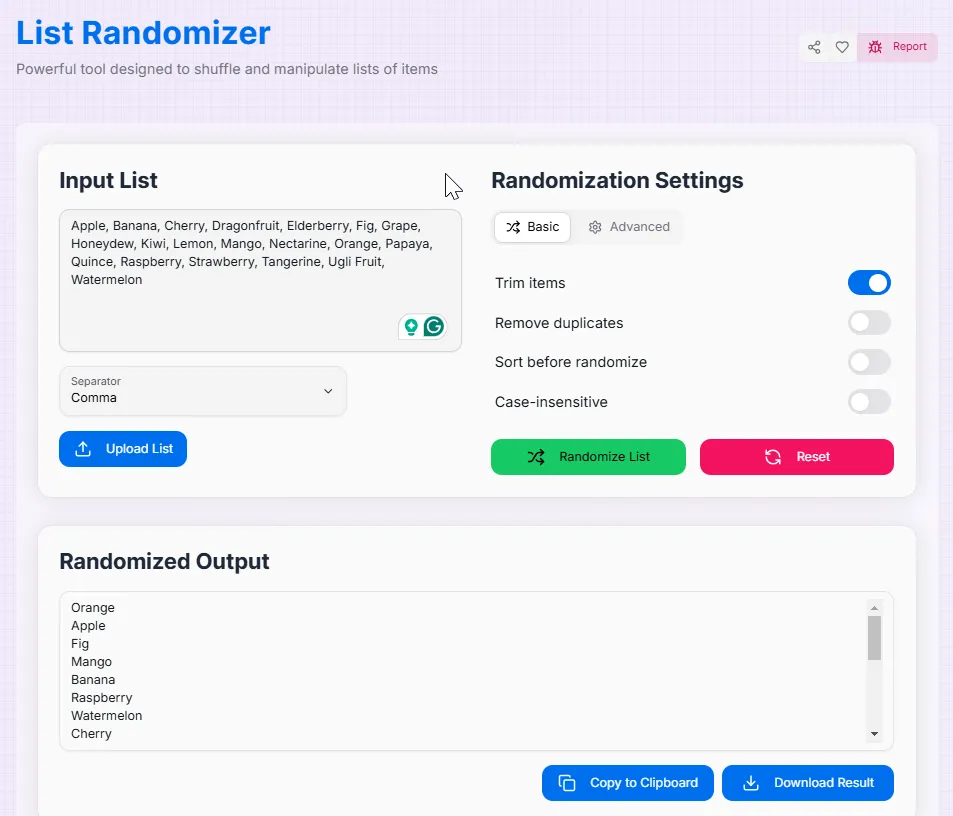
Enter your items directly into the text area or use the Upload function to import a text file. Each item should be separated by a specific character or a new line.
- 2Configure Logic:
Choose your Item Divider (comma, tab, newline, etc.). You can also enable pre-processing filters to trim whitespace, remove duplicates, or sort items before the shuffle begins.
- 3Randomize & Group:
Click "Randomize List" to apply the shuffle. Use the advanced settings to extract a smaller subset or organize the results into groups of a specific size.
- 4Export Results:
View the randomized output instantly. Click Copy to save it to your clipboard or Download to export the new list as a structured text file.
Key Features for Professionals
Pro Tips & Best Practices
Use Seeds
If you need to verify a random selection later, record the Seed value. Entering the same seed with the same list will always yield the same "random" order.
Clean First
Enable the "Remove Duplicates" filter if you are running a giveaway to ensure that every participant has an equal, single chance of winning.
Custom Dividers
Use the "Custom" divider option if your data is structured with unique symbols (like | or /) to ensure the randomizer identifies items correctly.
Real-World Applications
Education
Randomly assigning students into breakout rooms or creating fair speaking orders for classroom presentations.
Market Research
Selecting a random subset of survey participants from a large database to ensure unbiased statistical sampling.
Project Mgmt
Randomly distributing a backlog of tasks among team members or deciding the order of items in a design review.
The List Randomizer is more than just a tool—it is a gateway to fair and efficient data manipulation. Whether you are conducting scientific research or making a daily decision, our platform provides the precision and flexibility you need. Start introducing true chance into your workflow today!
Related Tools
Advance Password Generator
Generate secure and customizable passwords quickly and effortlessly.
BarCode Generator
Generate custom barcodes.
QR Code Generator
Create customized QR codes with advanced styling options.
Screen Resolution Checker
Analyze your screen properties and display capabilities.
Unit Converter
Quickly and accurately convert between various units of measurement.
Advance JSON Tree Viewer
A powerful tool to view, edit, and format JSON data with customizable options.