Hex to RGBA Converter
Convert Hex Color Codes to RGBA with Real-time Preview
Color Input
Color Preview
What is the Hex to RGBA Converter?
The Hex to RGBA Converter is a precision utility tailored for web developers, UI designers, and digital artists. While Hex codes are the standard for solid colors, RGBA (Red, Green, Blue, Alpha) is essential for modern web design, allowing you to control transparency and opacity with mathematical accuracy.
This tool bridges the gap between static color codes and dynamic design. By offering real-time conversion and an interactive alpha slider, it allows you to transform standard 3 or 6-digit Hex codes into CSS-ready RGBA values instantly. It is the perfect companion for creating overlays, glassmorphism effects, and sophisticated brand palettes.
How to Use the Hex to RGBA Converter?
- 1Input Hex Code:
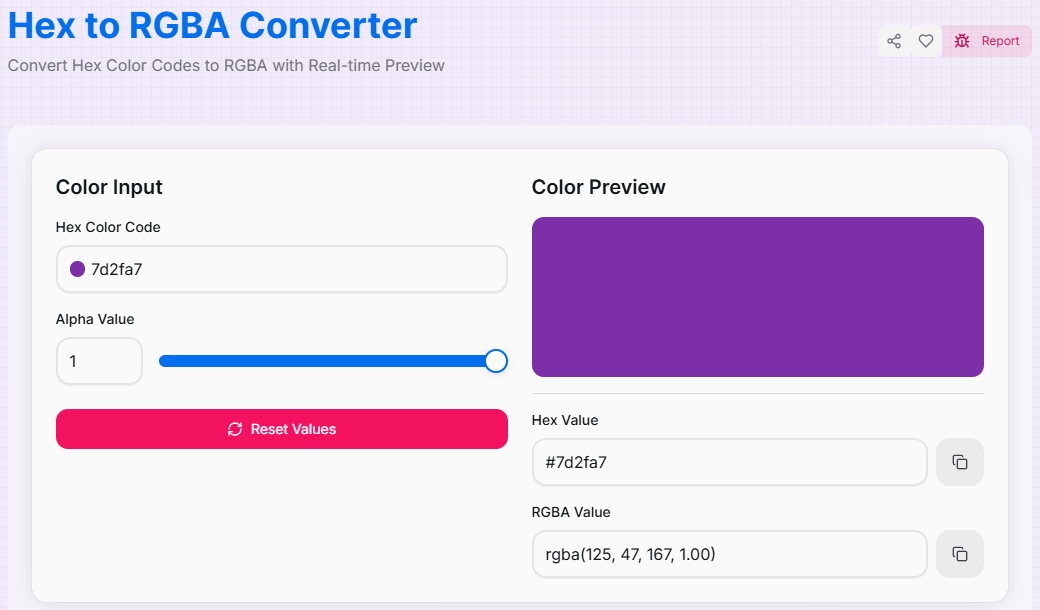
Enter your color code (e.g., #3498db or fff) into the input field. The tool supports both shorthand (3-digit) and standard (6-digit) formats.
- 2Adjust Alpha/Opacity:
Use the interactive Alpha Slider to set transparency from 0 (fully transparent) to 1 (fully opaque). The RGBA value updates in real-time as you slide.
- 3Preview Results:
Watch the Live Preview box change color instantly. This visual feedback ensures your transparency level looks exactly as intended before you use it.
- 4Copy to Clipboard:
Click the Copy icon next to the RGBA result to grab the CSS-ready string. Use the Reset button () to clear and start again.
Key Features
Pro Tips for UI Developers
Glassmorphism
To achieve the "glass" look, use a high alpha value (0.1 - 0.3) on a white or light hex code over a colorful background.
CSS Variables
Store your RGBA results in CSS variables (e.g., --main-bg) to maintain consistent transparency across your entire application.
Contrast Check
Be careful with low alpha values on text; always verify that your resulting RGBA color meets WCAG accessibility guidelines.
Real-World Applications
UI Overlays
Creating semi-transparent modal backdrops or darkened image overlays to make text more readable.
Design Systems
Building cohesive state-based colors (hover, active, focus) using a single base color with varying alpha levels.
Gradient Depth
Crafting complex gradients that fade from solid colors to transparent for smooth edge transitions.
Stop struggling with manual math and color syntax. Whether you're building a dark mode interface or a vibrant creative site, our Hex to RGBA Converter provides the precision you need. Experience the most efficient way to manage color and transparency in your design workflow today!
More Color Tools
RGBA to Hex Converter
Convert RGBA Color Codes to Hex with Real-time Preview.
HSL to HEX Converter
Convert HSL Color Codes to Hex with Real-time Preview.
HSV to Hex Converter
Convert HSV Color Codes to Hex with Real-time Preview.
CMYK to RGB Converter
Convert CMYK Color Codes to RGB with Real-time Preview.
Color Converter
Convert colors between HEX, RGB, HSL, HSV, and RGBA formats with advanced features.
HSL to RGB Converter
Convert HSL Color Codes to RGB with Real-time Preview.