A Record Lookup
Look up A records for any domain — IPv4 addresses, TTL, geographic location, hosting provider, reverse DNS, and export
Enter a domain to look up its A records
See every IPv4 address, its geographic location, hosting provider, reverse DNS, and TTL.
What is the A Record Lookup Tool?
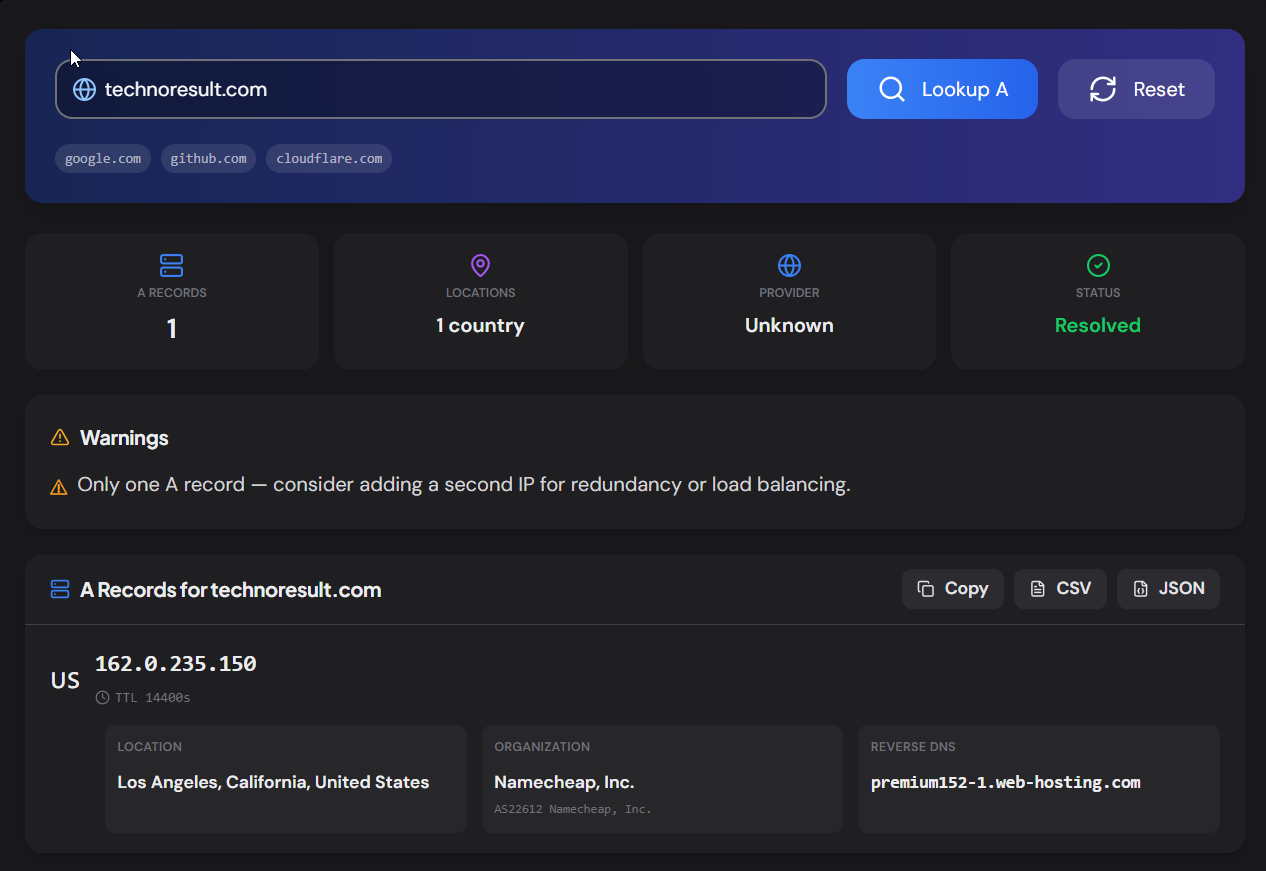
The A Record Lookup tool resolves the IPv4 addresses (A records) for any domain and enriches each IP with geographic location, hosting or CDN provider, reverse DNS (PTR record), ISP, organization, and AS number. It turns a simple DNS query into a complete server-identity report.
A records are the most fundamental DNS record type — they map a domain name to an IPv4 address. A domain can have multiple A records for load balancing or redundancy. This tool shows them all, with enough context per IP to understand who hosts the site and where in the world the servers are.
How to Use
- 1Enter a Domain:
Type any domain and click "Lookup A".
- 2Review IP Details:
Each IP shows its geographic location (city, country), flag, ISP/org, AS number, reverse DNS hostname, TTL, and detected hosting provider.
- 3Identify the Provider:
The tool detects CDNs (Cloudflare, CloudFront, Fastly), cloud providers (AWS, GCP, Azure), and hosting platforms (Vercel, Netlify, Shopify) from the reverse DNS and organization data.
- 4Copy or Export:
Copy all records or export as CSV (with full geo/hosting data) or JSON.
Key Features
Pro Tips
Check Reverse DNS
If an IP has no PTR record, email sent from it may be flagged as spam. Ensure every production server has proper reverse DNS.
Multi-Country = Geo-DNS
If IPs are in multiple countries, the domain likely uses geo-DNS or a CDN with anycast. If it's not intentional, there may be a stale DNS record.
Use with Propagation
After changing A records, use the DNS Propagation Checker to see when the new IPs are live worldwide, then re-run this tool to confirm geo and hosting.
Real-World Applications
Server Identification
Quickly find out who hosts a website — the cloud provider, data center location, and reverse DNS hostname.
Security Research
Identify the infrastructure behind a phishing domain or suspicious site without visiting it.
Migration Verification
After a server migration, confirm the A records point to the new IPs and the geo-location matches the target data center.
Related Networking Tools
CNAME Lookup
Follow CNAME chains and detect CDN/hosting at each hop.
NS Lookup
Check nameservers, health-check each, detect DNS provider.
DNS Propagation Checker
Check DNS propagation across 20 global resolvers.
MX Record Lookup
Check mail servers, detect providers, verify email routing.
The A Record Lookup turns a basic DNS query into a full server-identity report — every IPv4 address with its geographic location, hosting provider, reverse DNS, ISP, and AS number. Whether you're investigating infrastructure, verifying a migration, or researching a competitor, enter a domain and see the complete picture. No sign-up, no cost.
More Networking Tools
AAAA Record Lookup
Look up AAAA (IPv6) records, classify IPv6 address types, detect hosting and CDN providers, check reverse DNS, compare with IPv4, and export results.
MX Record Lookup
Check mail servers, detect the email provider and security gateway, verify SPF/DMARC/DKIM, and get a DNS health score for any domain.
TXT Record Lookup
Look up all TXT records for any domain, classify each record, detect 40+ connected services, check email authentication, and export results.
NS Lookup
Look up nameservers for any domain, detect the DNS provider, health-check each server, view glue records and SOA, and verify DNS configuration consistency.
CNAME Lookup
Look up CNAME records, follow the complete alias chain, detect CDN and hosting providers, resolve final destination records, and export results.
SPF Record Checker
Validate SPF records, count DNS lookups against the 10-lookup limit, parse mechanisms, detect providers, and get a security score.